

Apple HomeView: Everything You Need to Know About Apple’s First IoT Smart Home Hub
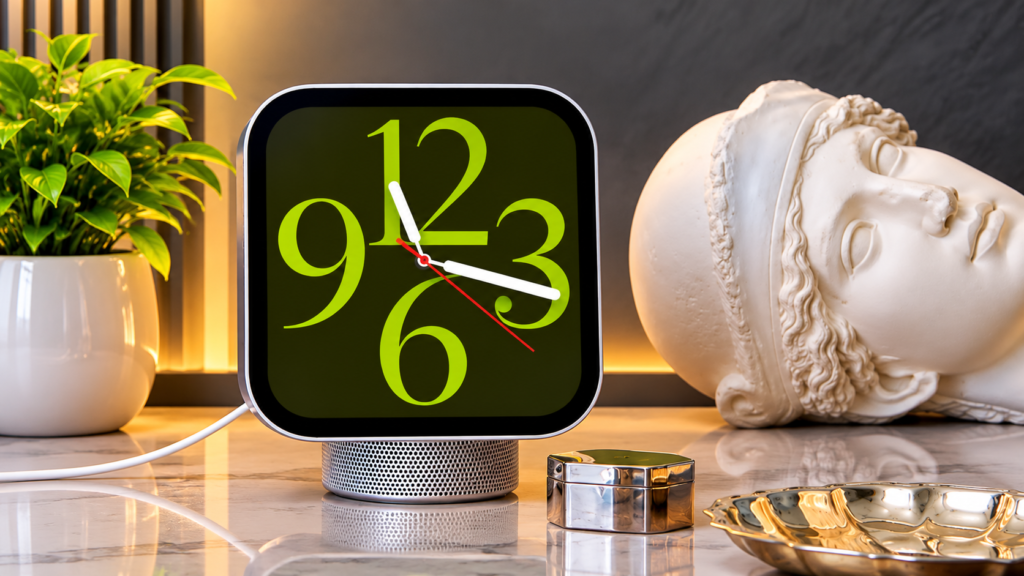
We’ve been waiting for Apple to develop a smart screen specifically for controlling our networked homes for years. Yes, we had the iPad and the HomePod, but nothing really filled the void like the smart displays from Google and Amazon. The wait is now officially ended. The Apple HomeView, a high-end, specialized IoT hub intended to serve as your smart home’s central nervous system, was formally introduced by Apple on November 13, 2026.
This is the device that connects everything if you have a significant investment in the Apple ecosystem. Let’s examine the features, design, and reasons why the HomeView may be the greatest smart home display available at the moment.
A Display That Learns Who You Are
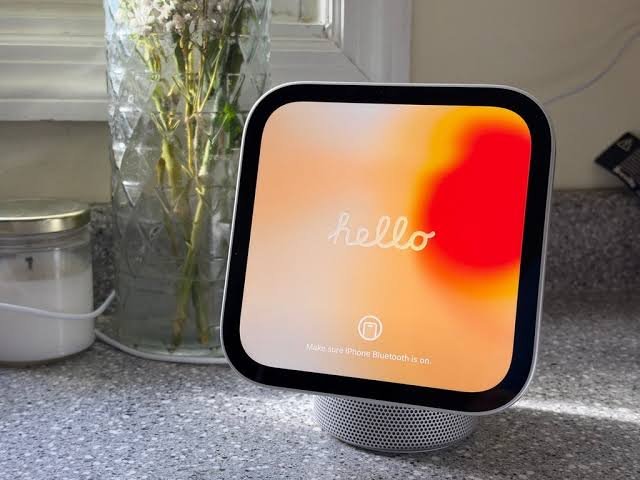
The stunning 7-inch Liquid Retina display on the HomeView has a resolution of 1088 x 1088. It’s quite intuitive, though, and it goes beyond simply looking good. The screen makes use of True Tone and variable brightness, which may dim down to a barely noticeable 0.3 nits if you want it on your bedside or scale all the way up to 500 nits for a sunlit kitchen.
But its ability to recognize faces is what really makes it “human.” Up to six distinct individuals in your home can be identified by the HomeView. The 12MP Center Stage camera detects your approach and automatically changes the on-screen user interface to display your customized apps, calendar events, and notifications, protecting your personal information from roommates or visitors.
Two Distinct Designs: Tabletop vs. Wall-Mounted
The Tabletop Model: A tiny nod to the retro iMac G4, this iteration has the screen suspended on a domed aluminum speaker base. It is available in four stunning colors: silver, space gray, starlight and rose pink. The Wall-Mounted Model: For a flush built-in look, this version drops the speaker base and sits flush against your wall. Only silver and space gray colors available and requires special Schneider Home mounts (sold separately).
Powered by the A18 Chip and Siri AI
You may be asking why the iPhone 16’s A18 processor is required for a smart home hub. Apple Intelligence is the solution.
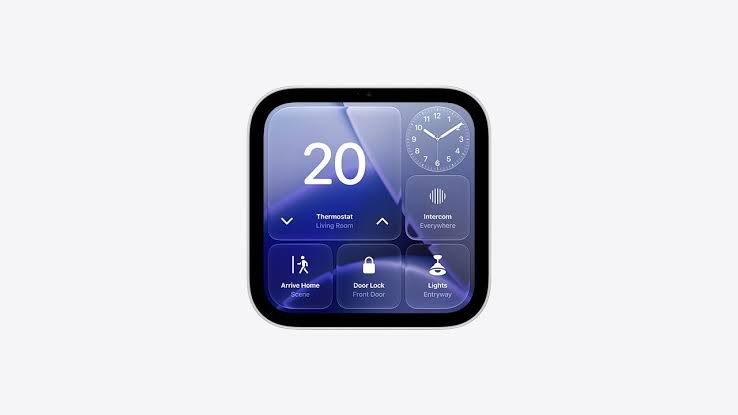
The much awaited Siri AI is introduced with the HomeView. This isn’t the outdated Siri that clumsily misinterprets your timers. This next-generation assistant can carry out complicated commands hands-free, comprehend conversational context, and have onscreen awareness. The display appears as big, basic widgets from across the room, but as you move closer, it becomes more detailed.
The Ultimate IoT and Smart Home Controller
The HomeView eliminates the need to purchase individual bridges for each of your smart home devices. It synchronizes your lights, locks, and HVAC systems natively and functions as an independent Thread border router and Matter controller.
Do you need to inspect the front door? You can simultaneously monitor the baby monitor and your security gates with the Home video face’s ability to transmit up to nine live video feeds. Additionally, it has integrated sensors for ambient light, temperature, and humidity that activate sophisticated HomeKit automations.
Pricing and Availability
Apple isn’t delaying the worldwide launch. The Apple HomeView, which was released on November 13, 2026, is priced at ₹39,900 in India and $299 in the US. It basically replaces a smart speaker, a dedicated video-calling device, a digital photo frame, and a smart home bridge in one exquisitely designed gadget, despite its high price tag.
5 Frequently Asked Questions (FAQs)
1. Does the Apple HomeView have a battery for portable use?
No, the Apple HomeView does not have a battery. Both the tabletop and wall-mounted versions require a wired power connection (USB-C or AC wired mounts) to operate.
2. Can I use the Apple HomeView for FaceTime calls?
Absolutely! It features a 12MP Center Stage camera that automatically tracks and keeps you in the frame as you move around the kitchen or living room, making it perfect for FaceTime.
3. Do I need an iPhone to set up the Apple HomeView?
Yes. To set up and use the personal features on the HomeView, you need an iPhone running iOS 27.2 or later, or an iPad running iPadOS 27.2 or later.
4. Will it work with my non-Apple smart home devices?
Yes, as long as those devices support the Matter smart home standard or Thread networking. Because the HomeView acts as a Matter controller and Thread border router, it easily integrates with compatible third-party IoT accessories like smart locks and thermostats.
5. How does it protect my privacy when checking emails or messages?
Instead of acting like a communal family iPad where anyone can read your emails, the HomeView pairs with your personal iPhone and uses facial recognition. It will only display your specific messages, calendar alerts, and notifications when it recognizes your face standing in front of it.
